

Meta description: Crackling, no sound, echo or one sided audio in games? Follow these simple checks to find and fix the most common game audio problems.
Few things spoil a gaming session like sound that is wrong. Maybe there is crackling, one earcup is silent, your voice echoes in chat, or the game suddenly plays through the wrong device. The good news is that most problems have simple causes. This guide takes you through them in a sensible order, so you can fix issues yourself without replacing equipment you do not need to replace.
Key Takeaways
- Always check the selected output device first. It is the most common cause.
- Change one thing at a time and test, so you know what actually helped.
- Cables, ports and power are frequent culprits and cost nothing to check.
Problem 1: No Sound at All
Start with the obvious. Check that the volume is up in the game, in the operating system and on any physical control on your headset or amplifier. Make sure the correct output device is selected in your system settings, because new devices do not always become the default. Some games also have their own device setting that overrides the system choice. Finally, test with another game or video to see whether the problem is the game or the whole system.
Problem 2: Sound in Only One Side
Check the balance setting in your operating system, which can sit off center by accident. Try a different cable or a different port. If the silence follows a particular earcup or cable, you have found the faulty part. If a plug is not fully seated, pushing it in properly sometimes fixes the problem immediately.
Problem 3: Crackling, Popping or Distortion
Crackling can come from a damaged cable, a loose connection, a busy USB port or a computer struggling with background tasks. Try another USB port, preferably one directly on the computer and not on a crowded hub. Close heavy programs while you play. If the sound is distorted only at high volume, reduce the volume in the game and raise it on the device instead, since overloading one stage can cause harshness.
Problem 4: Hiss or Hum
A constant hiss may come from a noisy output or too much gain somewhere. A low hum can point to electrical interference or a ground loop, often caused when several devices connect to different power sources. Try powering related devices from the same outlet strip, using a shorter cable and keeping power adapters away from audio cables.
Problem 5: Voice Chat Echo
If teammates hear their own voices, your microphone may be picking up sound from speakers. Switch to headphones, lower speaker volume or turn on echo cancellation if your software offers it. Also check that your game output is not being fed back into the microphone through a mixing setting.
Problem 6: Delay Between Action and Sound
Wireless connections can add delay, particularly Bluetooth. Switch to a wired connection or to a headset that uses a dedicated receiver. In some systems, enabling a low latency or game mode helps. Make sure your headset’s firmware is up to date.
Problem 7: Game Sound Too Quiet Compared With Chat
Most platforms offer a chat mix control. Move it toward the game side, or lower the chat volume. Check the game’s own audio sliders too, because some games let you reduce voice or increase effects.
Fixing Settings That Make Things Worse
Heavy enhancement features such as bass boost, loudness equalisation or stacked virtual surround can smear direction cues. If sound seems unclear, turn them off one by one. Updating audio drivers or system software can also solve strange behavior, though if something worked yesterday and not today, recall what changed.
Frequently Asked Questions
Why does my game use the wrong speakers? Your system may have switched its default device when something was connected. Check the output choice in system and in game settings.
Should I buy new headphones when sound crackles? Test another cable and port first. The fault is often not the headphones.
When Better Hardware Makes Sense
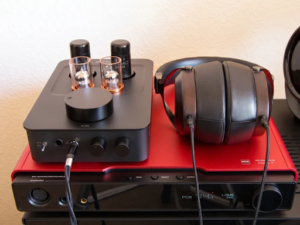
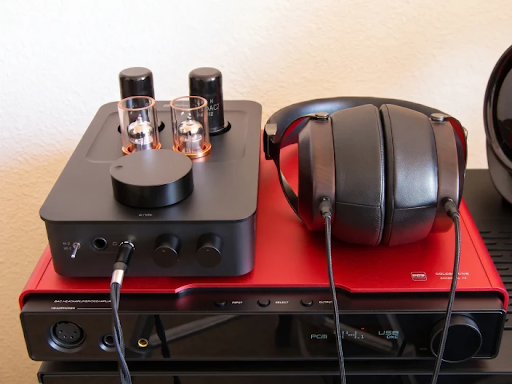
If basic checks leave you with weak volume, noise or thin sound from demanding headphones, a dedicated amplifier or sound device from a game audio specialist may be the right next step. Confirm that it supports your platform and your headphones before buying. Otherwise, careful settings and tidy connections solve the great majority of problems.